

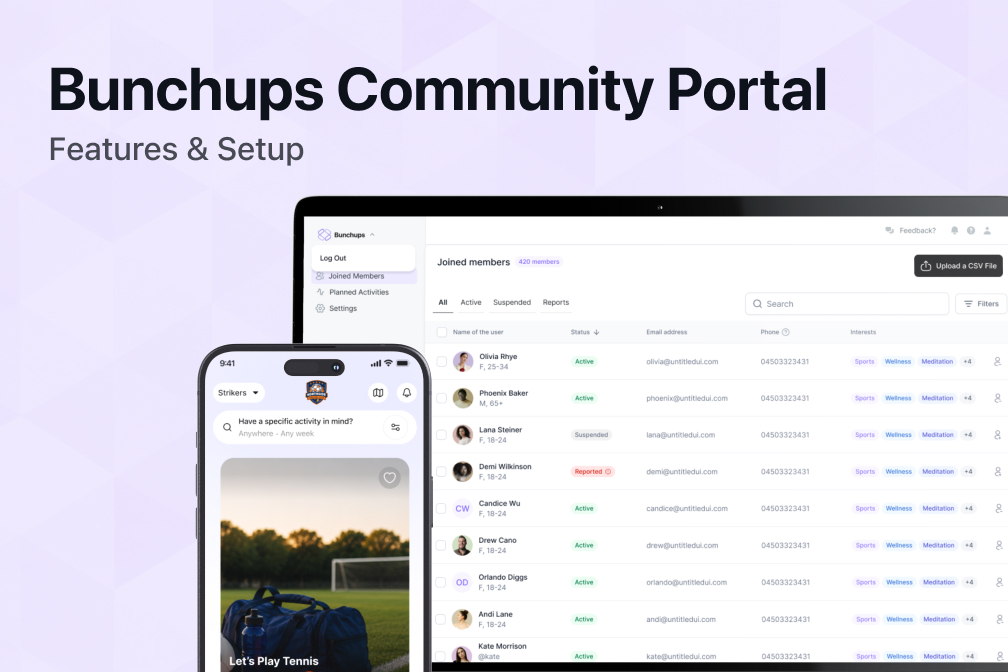
How the Bunchups Community Portal Works | Features & Setup
See exactly how the Bunchups Community Portal works, from member onboarding to admin controls. Branded, safe, and built for in-person community. Book a demo.
How the Bunchups Community Portal Works
A private, branded space inside the Bunchups app, built for organisations to help their members meet each other in person.
Overview
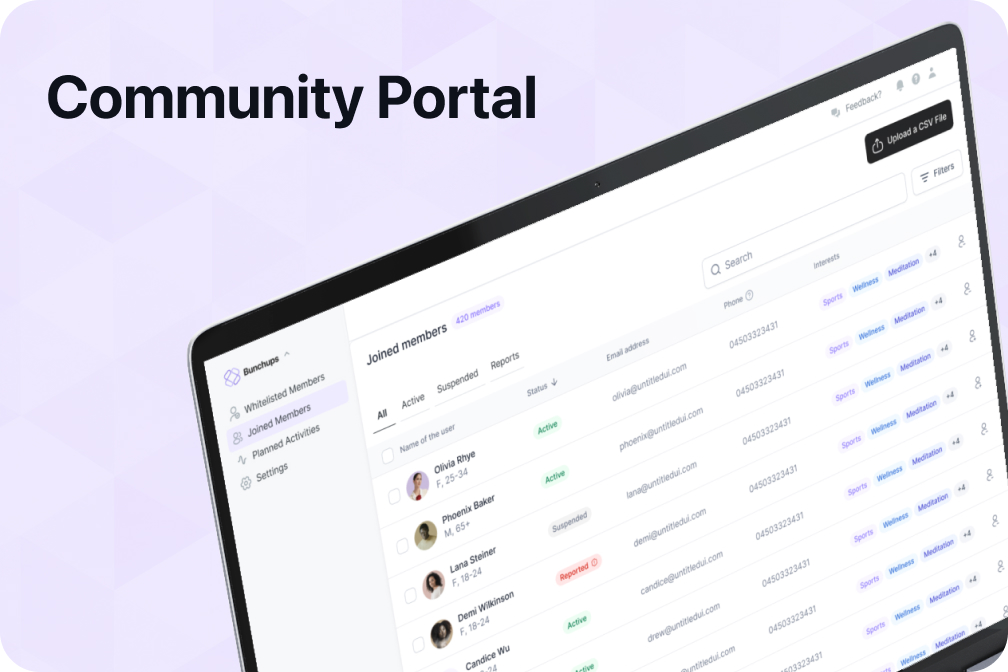
The Bunchups Community Portal is a private, branded version of Bunchups that an organisation owns and runs for its own members.
Bunchups is a platform built for one-on-one or small group gatherings, where people plan and join in-person activities with others nearby who share their interests. The Community Portal takes that platform and reshapes it for organisations, with one key difference: inside the portal, activities can be planned at any size, from a quiet coffee for two to a hundred-person event run by the organisation itself.
Members access the portal through the main Bunchups app. They sign in, switch into their organisation's portal, and from that point on they only see activities posted by other members of that portal. Anything they post stays inside the portal too.
The portal carries the organisation's branding throughout the experience, including logo and colours, so members feel like they are inside the organisation's own environment rather than a generic social app.
Access Methods
There are several ways organisations can control who gets access to the portal.
Email Domain Verification
If an organisation owns a domain like yourcompany.com.au, the portal can be configured so that only people with an email address on that domain can join. The user enters their work email, confirms it through a verification link, and gains access.
Best suited for companies, universities, and organisations where every member already has an official email address.
CSV Upload
The organisation uploads a list of approved members through the admin website.
Everyone on the list receives an invitation to join. During signup, the system checks their details against the uploaded records before allowing access.
Best suited for associations, clubs, aged care facilities, and any organisation that already has a member list.
Membership Number
For organisations that issue member numbers, the portal can be configured so that anyone joining has to enter a valid membership number to get access. The system checks the number against the organisation's records and only lets verified members through.
Best suited for professional bodies, sports clubs, and member-based organisations with existing member databases.
Most organisations choose one method, but they can be combined. A professional association might let members in by email domain while also allowing CSV-based onboarding for members who don't use a work email.
Member Onboarding
Members sign up through the main Bunchups app. The onboarding flow inside the portal is identical to the main app, with no shortcuts and no skipped steps.
The onboarding process includes:
- Phone number verification
- Email verification (where applicable)
- Profile setup
- Selfie verification
- Interest selection
Every member still goes through Bunchups' selfie verification process before entering the portal. This helps organisations know that the people inside the portal are real.
Activities and Social Features
Planning an Activity
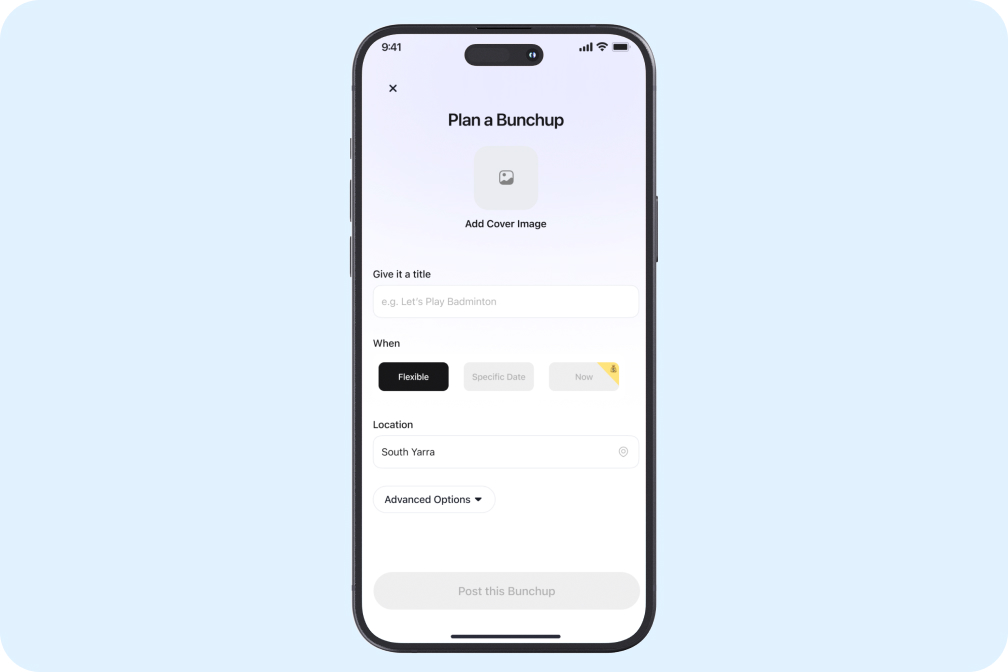
A member picks a category, suggests a time and place, decides how many people they want to join, and posts the activity to the portal. Other members can see it on their feed and send a join request.
Browsing and Joining
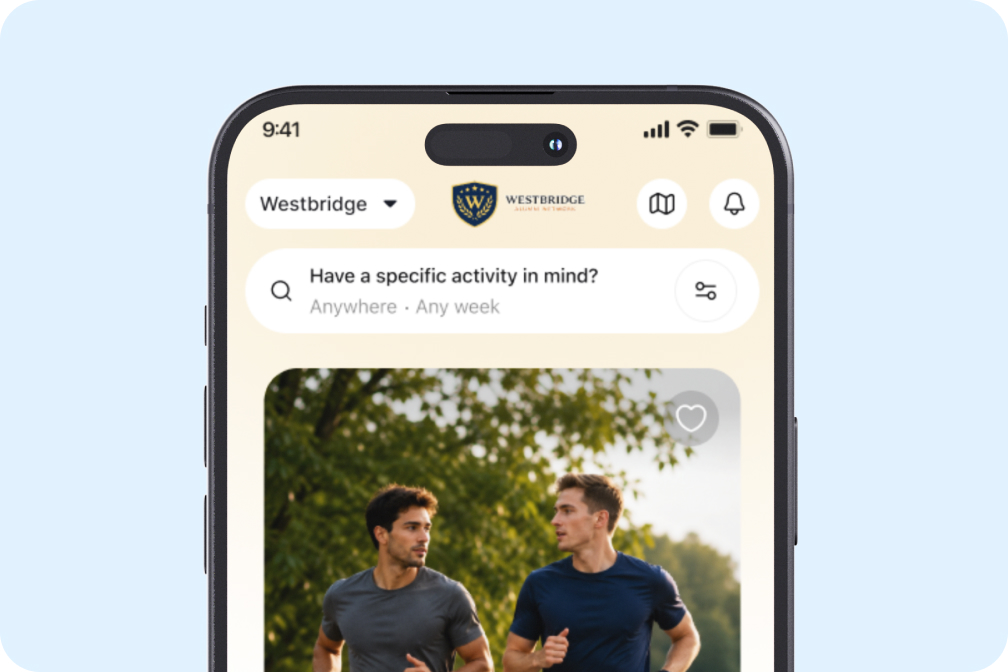
Activities can be filtered and searched. If a member is looking for a Saturday morning hike or a midweek dinner, they can find it. Members can send join requests directly through the app.
Preferences
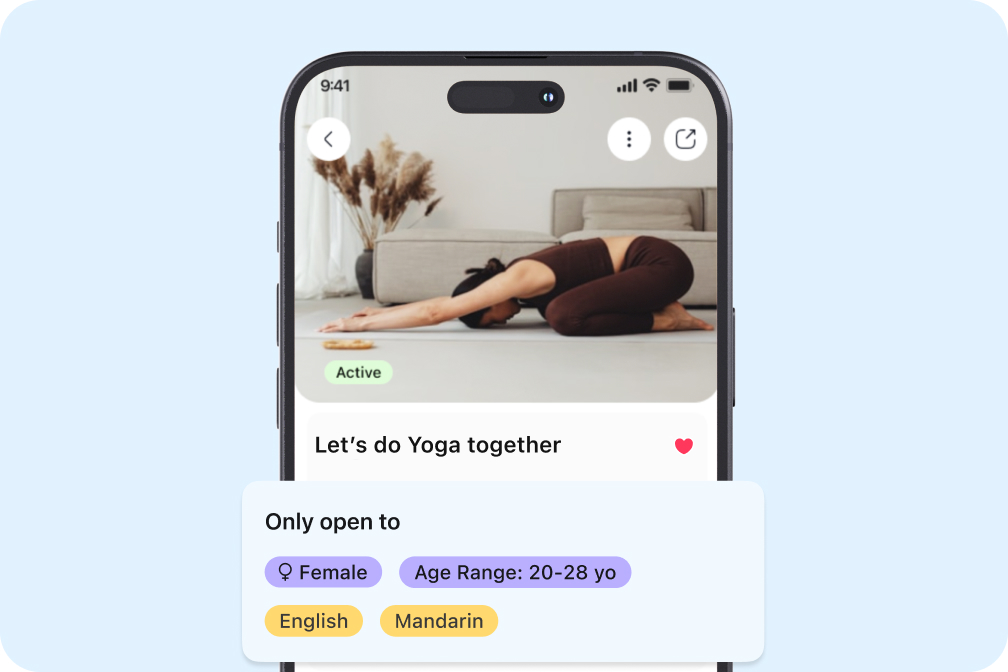
Members can set preferences for the kinds of activities and people they want to connect with. Examples include:
- Women-only activities
- Activities for a specific age range
- Activities in a particular language
Preferences carry through the portal and the main app.
Messaging and Group Chats
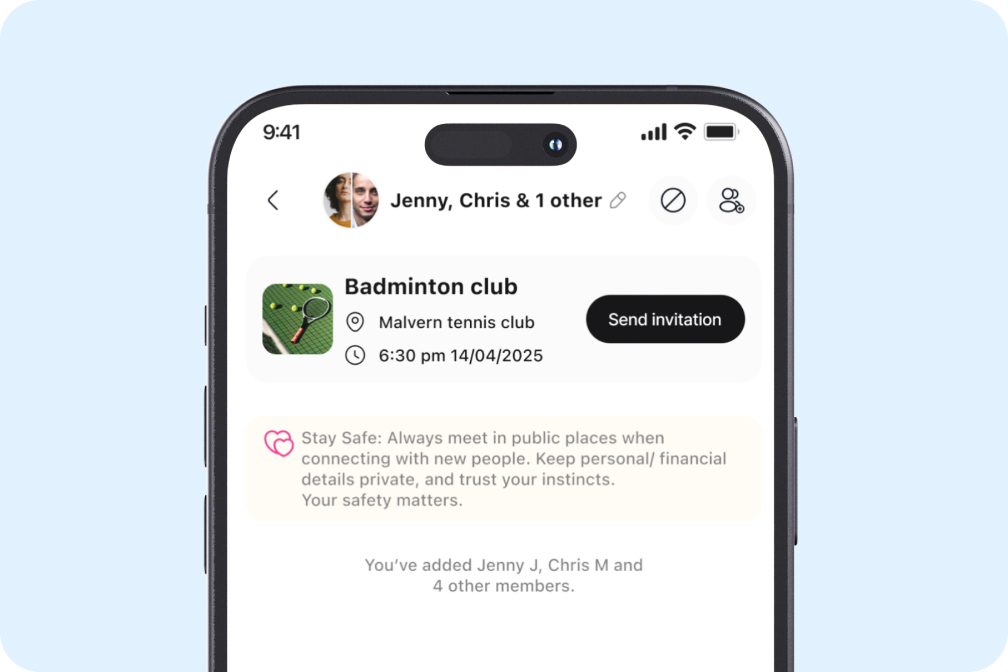
Members can message each other directly inside the app. Group chats form automatically for activities with multiple attendees, so coordination happens in one place.
Push notifications keep everyone updated on:
- New join requests
- Changes to activities
- Messages and replies
- Activity reminders
Admin Controls and Moderation
Organisations using the portal receive access to an admin console.
Admins can:
- Review member activity
- Remove users if needed
- Respond to reports
- Monitor engagement levels
- Manage access permissions
- Review reports submitted by members about other members or activities
Bunchups gives every user the ability to block or report other users if something doesn't feel right. Inside the portal, those reports flow to the admin team.
The admin gets visibility into anything flagged, can take action quickly, and can keep a record of what's been resolved.
The combination of selfie verification at the entry point and admin oversight after the fact is what makes the portal usable inside regulated environments.
Organisations don't have to build their own moderation system. It's built in.
Branding
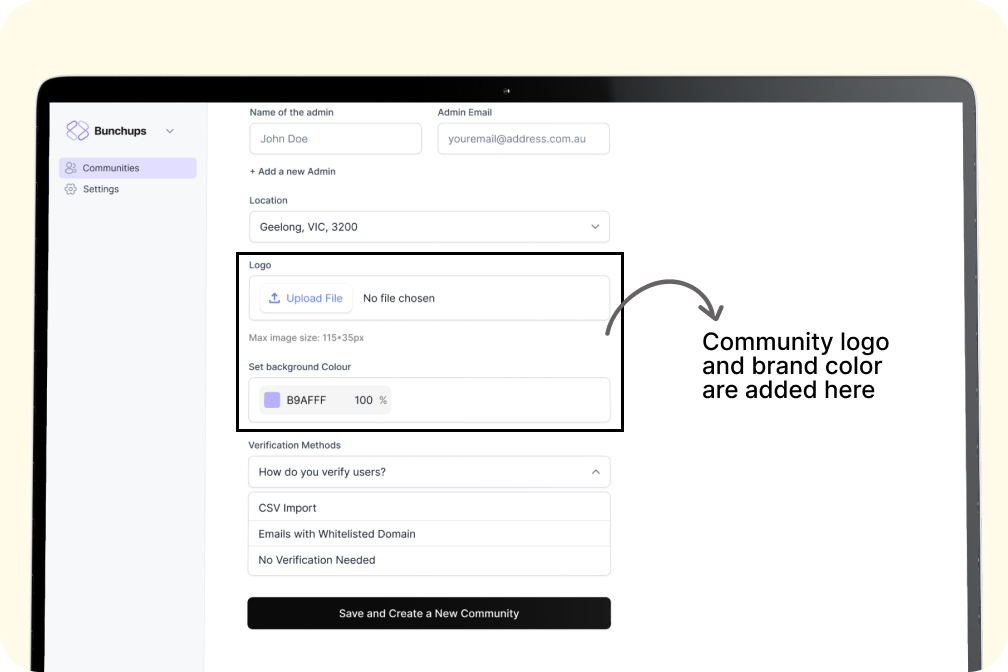
The portal carries the organisation's logo and brand colour throughout the member experience.
Both are configured during setup and can be updated by the admin at any time.
Members see the organisation's branding from the moment they switch into the portal.
Branding applies to:
- Portal home screen
- Activity feeds
- Invitations
- Notifications
- Admin console
Setup
Setting up a portal typically takes a few weeks.
The work involves three things:
- Configuring the branding and access method to match the organisation
- Loading the initial member base, either through a CSV upload, email domain setup, or membership number integration
- Agreeing on how the portal will be introduced to members, since the portals that take off are the ones the organisation actively launches
Once live, the platform handles the day-to-day.
Members join, get verified, plan activities, meet up, and come back.
The admin team monitors the console and steps in when needed.
Pricing
The Community Portal is a paid product.
Pricing depends on the size of the organisation's community, since a portal serving fifty residents in a single aged care home is a different setup than one serving thousands of members across a national association.
Pricing is worked out during the demo process, once the organisation's size, onboarding approach, and support requirements are understood.